
↵Open
Denari changelog
Find tax returns in Answers
You should be able to rely on Answers when you need to find a tax return. We've added return lookup so you can ask Answers to find the documents you need. This addresses searches that took longer than a manual lookup or returned only some of the requested returns when repeated.
More control over work and time
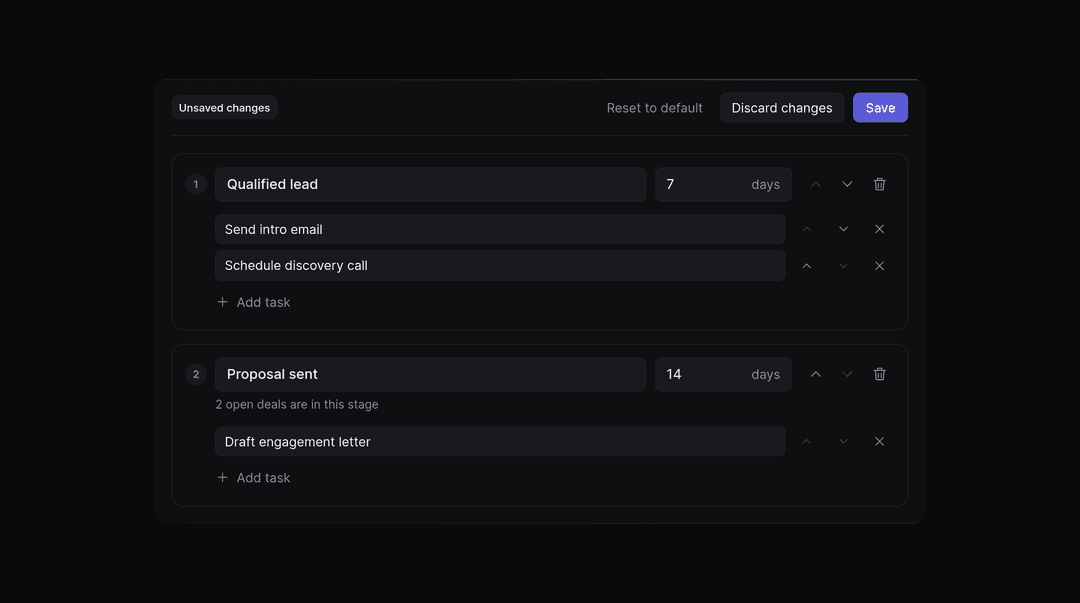
We're giving firm admins control over settings they previously needed us to change. You can set expected weekly hours for the firm or for each person. You can also choose the smallest time entry people can log. Time categories now support adding, renaming, and retiring categories. In My Work, projects start collapsed so you can choose which tasks to expand. You can assign tasks in bulk from the Work tab. Timers prompt you for notes when you stop them, and the Time page shows your weekly billable hours. Assistants can run timers and log time for someone else. Answers also keeps billable time marked as billable. For project planning, you can rename projects and create prior or future period projects from an engagement's service. One-off projects can use a template the engagement already uses. You can remove a service from an engagement even when a project exists. Admins can set the firm's timezone. Billing settings now let admins backdate bill rates and choose when overdue invoice reminders go out. A service's billing can span multiple billing groups. Existing clients can serve as referral sources for deals, and pipeline settings support deleting stages.
Improvements
Accounts You can choose accounts to ignore or use automatic account ignoring.
Answers Answers reports completed work in the conversation even when the work finishes after its initial reply.
Automations You can manage tool permissions and delete automations outside the
All automationslist.Binders Live statuses show who has the binder, with a separate
Ready to submitbadge.Boards You can open Boards as a standalone module from the app selector.
Desktop Each installation has its own hold, upgrade, and rollback controls.
Desktop The app adds a Status screen alongside persistent save and edit queues.
Intake When enabled for your workspace, document intake prefills filing details from uploaded pages with a History record of its suggestions.
Intake K-1 packages prompt you to confirm which client issued them before filing.
Printing Print jobs now use a persistent queue with a record of their handling.
Tasks You can assign checklist tasks to Denari with the skills and connections each task needs.
Fixes
Answers Draft text stays in place when a run finishes, and reopened approval requests show their approval button again.
Automations Run statuses reflect the reported outcome of the work.
Billing Autopay notice emails reflect the per-charge limit.
Binders Locked binders keep their editing restrictions when connected tools attempt changes.
Connectors QuickBooks connections work inside Papers, and reconnecting an account preserves its automation connections.
Documents Another user's reprint becomes a new version, and bulk ZIP downloads preserve original file extensions.
Papers Document saves preserve earlier ink marks and keep reconciliations intact when edits leave balances unchanged.
Skills File uploads show their saved state, and the
Savebutton stays visible in long instructions.Trial balances Answers leaves function controls accessible, and reconciliation warnings include the line's ending balance.